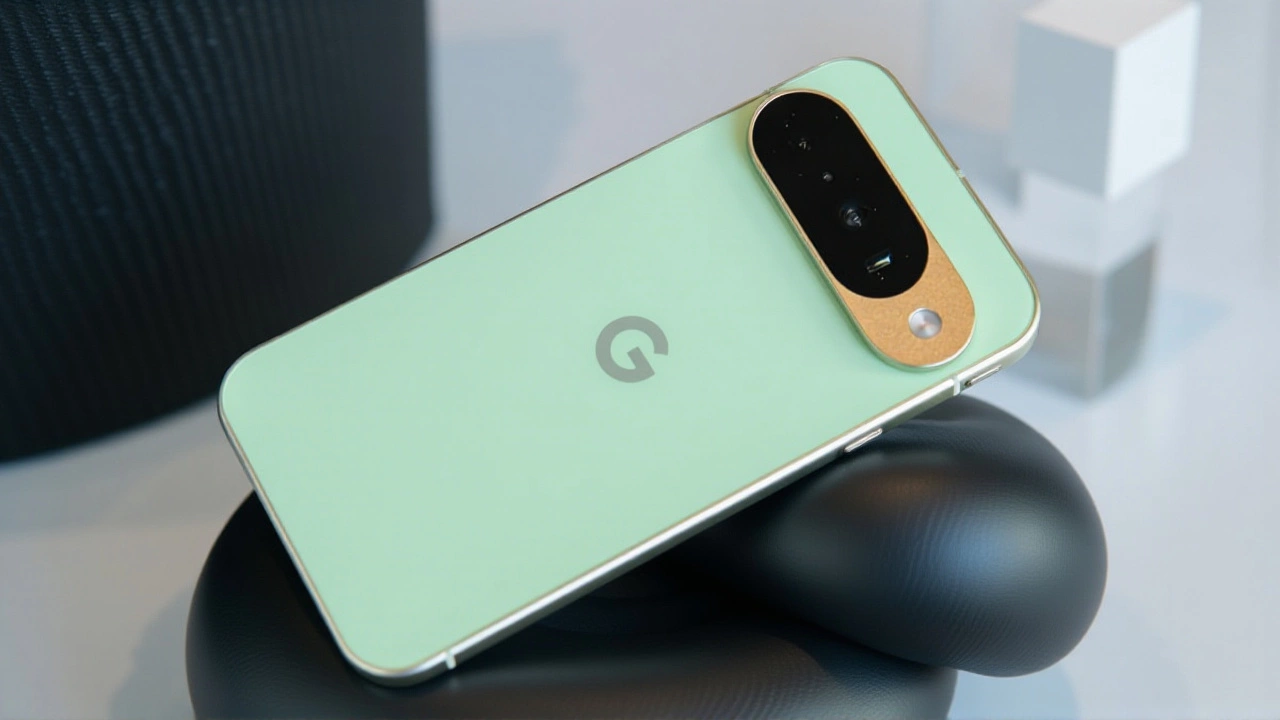
When Google pushed its massive June 2026 software patch to Pixel phones last Monday, it wasn’t just another routine maintenance drop. For millions of users frustrated by dropped calls, ghost touches, and overheating devices, this update felt like a long-overdue apology wrapped in code. The release, which began rolling out globally on June 17, 2026, targets some of the most persistent annoyances plaguing the Pixel 9 series and older models alike.
The update is significant because it shifts focus from flashy new features to raw stability. While previous "Feature Drops" added bells and whistles, this patch digs into the messy underbelly of the operating system—modem firmware, display drivers, and thermal management. It’s the kind of work that doesn’t make headlines until you actually need your phone to work reliably.
What’s Actually Fixed?
Here’s the thing: the list of resolved issues reads like a community forum wish list. Android Police, which tracked the rollout closely, noted that the patch addresses modem instability that had been causing Wi-Fi drops when switching between 2.4 GHz and 5 GHz bands. If you’ve ever watched your video call pixelate while walking from one room to another, this fix is for you.
But wait—the camera fixes are equally crucial. Users of the Pixel 9 Pro and Pixel 8 reported frequent crashes when switching lenses or recording 4K video at 60fps. The June patch includes optimizations to the camera HAL (hardware abstraction layer), reducing freezes and fixing color banding in Night Sight mode. Turns out, taking a photo shouldn’t feel like Russian roulette.
- Connectivity: Improved 5G/LTE stability and Bluetooth audio pairing reliability.
- Display: Fixes for ghost touches, delayed response, and flickering in dark mode.
- Camera: Reduced crashes during lens switching and better low-light performance.
- Battery: Refined CPU scheduling to reduce overheating during moderate use.
The Heat Is On (Literally)
One of the more surprising complaints addressed in this patch involves thermal behavior. Many Pixel 8 and 9 owners reported their phones becoming uncomfortably warm during basic tasks like scrolling social media or browsing the web. Google’s internal change logs reveal adjustments to background process handling and modem power states. The goal? Keep the device cool without throttling performance.
This matters because excessive heat isn’t just uncomfortable—it degrades battery health over time. By refining charging behavior, including compatibility with third-party Qi2 chargers, Google is also addressing reports of slow charging when batteries were above certain thresholds. It’s a small detail, but one that impacts daily usability.
Security Under the Hood
While the functional fixes grab attention, the security component is non-negotiable. The update brings the Android security patch level to June 1, 2026, addressing multiple high-severity vulnerabilities. According to Google’s bulletin, these include remote code execution and privilege escalation flaws in the kernel and vendor components.
These aren’t theoretical risks. In today’s digital landscape, unpatched vulnerabilities can lead to data breaches or malware infections. By delivering these patches via over-the-air (OTA) updates, Google ensures that even non-technical users stay protected. The staged rollout means not everyone gets it instantly, but all supported devices should receive it within days.

Why This Matters for Your Wallet
Let’s talk longevity. Google promises five years of security updates for newer Pixels, a policy that sets them apart from many competitors. This June patch reinforces that commitment, ensuring devices like the Pixel 8a remain secure and functional well into their second or third year.
Compare this to the fragmented update schedules of other Android manufacturers, and Google’s approach looks increasingly attractive. It’s not just about buying a phone; it’s about investing in a device that won’t become obsolete in two years. For consumers wary of planned obsolescence, this consistency is a major selling point.
How to Get the Update
If you haven’t seen the notification yet, don’t panic. Google uses a staged deployment model, meaning updates roll out gradually to prevent server overload and catch any unforeseen bugs early. To check manually:
- Open Settings.
- Tap System.
- Select System update.
- Check for updates and install if available.
Ensure your battery is at least 50% charged or plugged in before starting. The installation may take several minutes and will reboot your device. Advanced users can sideload factory images using ADB tools, but that’s risky unless you know what you’re doing.
What’s Next?
Looking ahead, expect Google to continue this cadence of monthly security patches and quarterly feature drops. However, the emphasis on stability in June suggests a strategic pivot. User feedback clearly demanded reliability over novelty, and Google listened.
As competition heats up with rivals like Samsung and Apple, maintaining trust through consistent, high-quality updates will be key. For now, Pixel users can breathe easier knowing their devices are getting the attention they deserve.
Frequently Asked Questions
Which Pixel models get the June 2026 update?
The update supports the Pixel 9 series (including Pro and Fold), Pixel 8 series (including 8a), and older models like the Pixel 7 and 7 Pro. All devices currently within Google’s five-year support window will receive security patches, though specific feature fixes may vary by hardware generation.
Why hasn’t my Pixel received the update yet?
Google uses a staged rollout process to ensure stability. Updates are distributed gradually over several days to different regions and device batches. If you don’t see it immediately, check again after 24-48 hours. You can also manually check for updates in Settings > System > System update.
Does this fix the overheating issue on Pixel 9?
Yes, the June patch includes refined CPU scheduling and modem power state adjustments designed to reduce heat generation during moderate use. While individual experiences may vary, many users report cooler temperatures during web browsing and social media usage after installing the update.
Are there any new features in this update?
This particular patch focuses primarily on stability and bug fixes rather than new consumer-facing features. It serves as a maintenance release to address lingering issues reported by users, such as connectivity drops and camera crashes, rather than introducing new capabilities like those seen in quarterly Feature Drops.